Cloud Cost Optimization: FinOps Basics for Engineers
· Pavan Y N · cloud, devops, aws, kubernetes, gcp, azure

Most cloud bills are not inflated by exotic mistakes. They are inflated by ordinary ones nobody owns: a forgotten environment, instances sized for a launch-day estimate, a long log retention default, a commitment bought against the wrong baseline. Cost work fails when treated as a one-time cleanup, and it hurts when done carelessly, because the cheapest system is often the one with no redundancy.
EduGeek lays out a working model for cloud cost optimization: the FinOps (financial operations) loop, the prerequisite that makes the rest possible, the levers ranked by return per unit of risk, Kubernetes-specific traps, and cultural failure modes. It stays provider-neutral, with AWS, GCP and Azure examples only where behavior is documented. Prices and discount rates change and differ by contract, so none are quoted; check current pricing.
# The FinOps loop: inform, optimize, operate
The FinOps Framework describes three phases that cycle rapidly rather than run once.
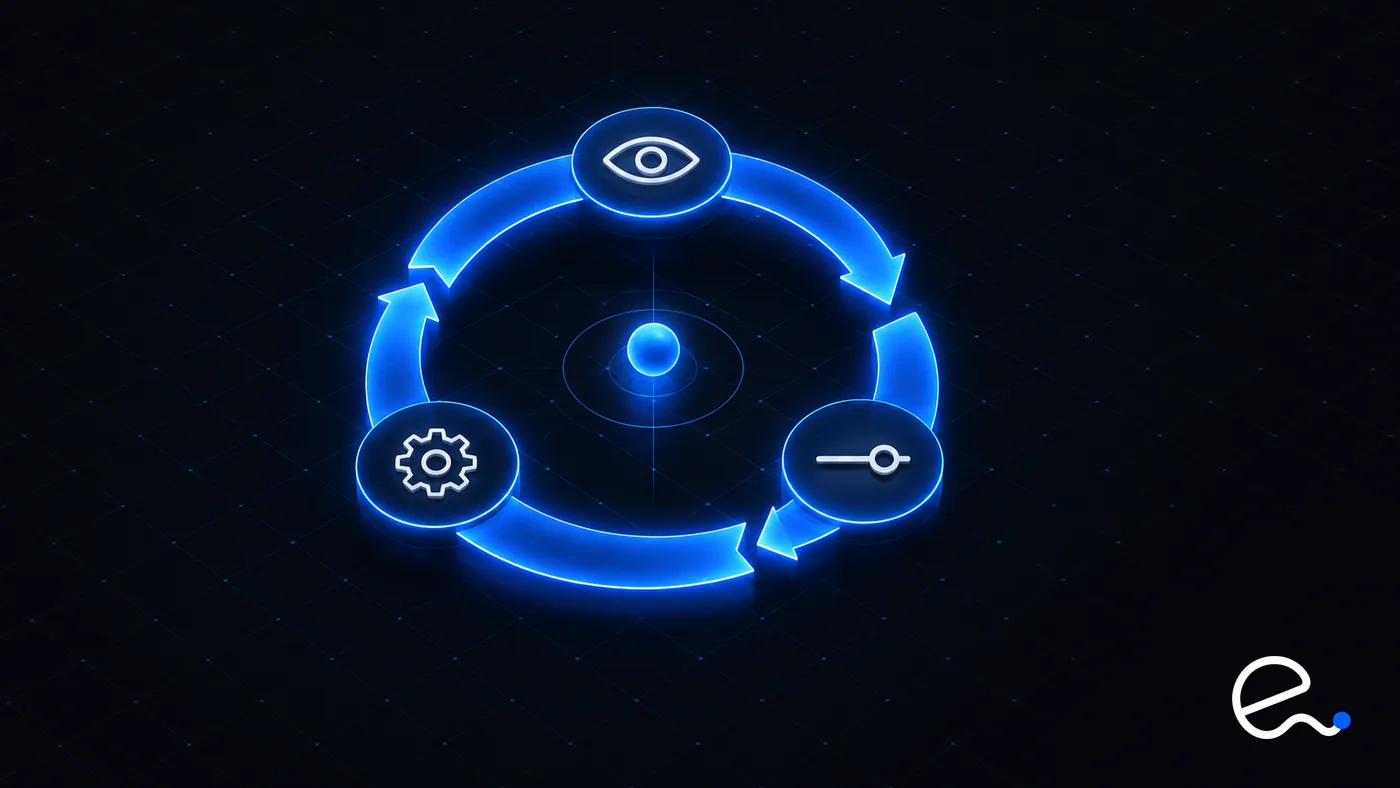
- →Inform is visibility and allocation: examining cost, usage and efficiency data to understand the value of what you run. Budgeting, forecasting and benchmarking live here.
- →Optimize is rates and usage: identifying where to get more value, whether through rightsizing, better contract terms, or improved rates. Opportunities are prioritized, and the rest go to a backlog.
- →Operate is continuous improvement: putting the chosen changes into practice, with engineering, finance and the business sharing accountability, then looping back to Inform.
The engineering takeaway is the order. Teams that jump to Optimize without Inform optimize the wrong thing and cannot prove it worked. Teams that stop after Inform produce dashboards nobody acts on.
# Prerequisite: allocation, or no one can act
You cannot optimize a line item no one owns. Allocation answers "who is responsible for this spend?", and it is an organizational problem before a tagging problem. Account, project and subscription boundaries are the sturdiest tool because they cannot be forgotten at resource creation; tags and labels cover what is inside them.
Keep the taxonomy small enough that it gets applied:
| Key | Purpose | Example value |
|---|---|---|
service | Which product or system | checkout |
team | Who gets the alert | payments |
env | Separate prod from the rest | staging |
cost-center | Finance mapping | a finance code |
Three practical rules:
- •Enforce at creation, not afterwards. Put required tags in your infrastructure-as-code modules so untagged resources can't be declared, and add policy checks in CI for the rest.
- •Know the provider's mechanics. On AWS, tags must be activated as cost allocation tags before they appear in Cost Explorer or cost allocation reports, and AWS says it can take up to 24 hours for a new tag key to appear on the cost allocation tags page and up to another 24 hours for it to activate. Activation is a step people forget, then wonder why a tag shows nothing.
- •Allocate the shared remainder explicitly. Shared clusters, networking and observability never tag cleanly. Publish a rule (proportional to usage, or an even split) so the unallocated pool does not become everyone's excuse.
# The levers, in order
The ordering that holds up is by return on effort and by risk. Earlier levers are nearly risk-free; later ones need design.

| Order | Lever | Main risk |
|---|---|---|
| 1 | Delete idle resources | Low |
| 2 | Right-size | Medium |
| 3 | Commitments | Financial |
| 4 | Spot or preemptible | Operational |
| 5 | Storage tiering and lifecycle | Low to medium |
| 6 | Data transfer and egress | Architectural |
| 7 | Observability bill | Operational |
## 1. Delete idle resources
Idle means paying for capacity nothing uses: unattached block volumes, old snapshots, load balancers with no targets, unused public IPs, forgotten dev environments, clusters left running overnight. Providers ship finders; AWS Compute Optimizer, for instance, analyzes utilization metrics to give rightsizing recommendations and identify idle resources.
The safe pattern is tag, notify, wait, then delete: mark candidates, tell the owner via the team tag, stop rather than delete where reversible, and delete after a grace period. Shut non-production environments down outside working hours.
## 2. Right-size
Right-sizing matches resource size to observed need. Two rules keep it from becoming a reliability incident:
- →Use enough history. Compute Optimizer analyzes 14 days of CloudWatch metrics by default and can extend to 93 days with a paid feature. A workload with monthly or quarterly peaks looks overprovisioned in a two-week window. Match the lookback to your business cycle.
- →Size to the peak with headroom, not the average. CPU averages hide the spike that causes the page. Memory usually needs an agent or extra instrumentation to see, and memory-starved instances fail harder than CPU-starved ones.
Roll changes out like code: canary first, with service level objectives (SLOs) watched. Right-size before committing, because a commitment sized to oversized infrastructure locks the waste in.
## 3. Commitments: Savings Plans, reservations and committed use
Commitments trade flexibility for a lower rate. The mechanics differ by provider but the trade is the same:
- →AWS Savings Plans commit to an amount of compute usage per hour for one or three years. Compute Savings Plans apply regardless of instance family, size, OS, tenancy or Region, and also cover Fargate and Lambda usage, so you can change instance types or move Regions without losing the discount. Reserved Instances commit to more specific configurations.
- →GCP committed use discounts come as resource-based commitments (vCPUs, memory and similar, for Compute Engine) and spend-based commitments measured in dollars per hour (or per month, for the newer Flexible Savings Plans) with terms of one or three years. Google states the monthly fee applies for the entire commitment period, and that spend above the commitment is charged at on-demand rates.
- →Azure Reservations commit for one or three years, are applied hourly to matching resources, and Microsoft's guidance is to base purchases on consistent base usage. They cover specific charges only (for example VM compute, but not software licenses, networking or storage on those VMs), and refunds are capped (USD 50,000 per rolling 12 months per billing scope). Exchange rules are being tightened for reservations bought from 1 February 2027, so check Microsoft's current exchange and refund policy before relying on either.
The risk is over-committing. A commitment is a fixed hourly cost whether or not you use it. If a commitment is priced at a fraction (1 - d) of the on-demand rate, you break even when you use at least that fraction of what you committed. Below that utilization, the commitment costs more than staying on-demand.
A worked example with hypothetical usage (arbitrary units, not prices): usage never drops below 100 units per hour, averages 140, and peaks at 220. Committing to 140 means paying for 40 unused units in every quiet hour. Commit to the floor of 100 and let on-demand or spot absorb the rest. Practical habits:
- →Commit to the minimum you are confident of over weeks, not the average.
- →Buy in tranches (a ladder) with staggered expiries instead of one large purchase.
- →Right-size and migrate first; changing architecture or Region after buying strands commitments. Prefer flexible forms when you expect change.
- →Track commitment utilization and coverage as metrics with an owner.
## 4. Spot and preemptible capacity
Spot capacity (AWS Spot Instances, and equivalents on GCP and Azure) is spare capacity at a steep discount that the provider can reclaim. On AWS, EC2 can interrupt a Spot Instance at any time, and the interruption notice is issued two minutes before it stops or terminates the instance, delivered best effort via EventBridge and instance metadata.
That suits stateless tiers behind a load balancer, batch jobs and CI runners, and is a poor fit for single-instance databases or anything that cannot checkpoint. Diversify across instance types and zones, keep a stable baseline, handle the notice (drain, checkpoint), and make jobs idempotent. If your design already spans zones, as in the Multi-AZ article, Spot fits the surplus layer.
## 5. Storage tiering and lifecycle
Storage costs rarely spike; they accumulate. Lifecycle rules move or delete data automatically as it ages. Watch the documented gotchas:
- →On S3, objects smaller than 128 KB are not transitioned by default, because AWS charges a transition request per object and for small objects that can outweigh the savings.
- →Some classes have minimum storage durations; transition out early and you pay for the remainder.
- →When access patterns are unknown or shifting, Intelligent-Tiering moves objects automatically.
- →Archive tiers have retrieval time and cost, so learn that before an incident needs the data.
- →The same idea applies elsewhere: EFS has Infrequent Access and Archive classes via lifecycle policies, and snapshots need a retention policy.
## 6. Data transfer and egress
Network charges are overlooked until they dominate. Generally, traffic crossing zones, leaving the provider to the internet, or moving between Regions is billed, while same-zone private traffic is typically free; rates vary by provider and Region.
Fixes are architectural: keep chatty services in one zone where resilience allows, reach object storage through VPC endpoints instead of a network address translation (NAT) path, put a content delivery network (CDN) in front of public content, compress, and run analysis next to the data. Never trade away a standby to save transfer.
## 7. The observability bill
Monitoring grows with your system and can rival compute. The drivers are high-cardinality metrics (labels with unbounded values such as user ID), log volume and retention, and trace volume. Drop or aggregate labels nobody queries, set log levels and retention per environment, sample traces, and move cold logs to cheaper storage; the Prometheus guide covers cardinality. The danger is overcutting: cut by usage, not by percentage, because removed telemetry is missing during the next incident.
# Kubernetes: where waste hides
A cluster adds a layer between your bill and your workloads, so spend becomes hard to attribute and easy to waste.
Requests versus usage. The scheduler places pods by their resource requests, while limits are enforced at runtime (CPU limits by throttling, memory limits by out-of-memory (OOM) kills). You pay for nodes, nodes fill up based on requests, and padded requests reserve capacity nobody uses:
resources:
  requests:
    cpu: 250m       # drives scheduling and node count
    memory: 256Mi
  limits:
    memory: 512Mi   # exceeding this can get the container killed
Compare requests to real usage over a full business cycle. A service requesting four times its peak usage is capacity reserved and billed for no one. Set memory limits deliberately because OOM kills are abrupt, and be cautious with CPU limits, which throttle a container at its limit even when the node has spare CPU.
Bin packing. Mixed pod sizes strand capacity in nodes that are full by requests but empty by usage. Fewer node shapes, node pools by workload class, and an autoscaler that consolidates under-used nodes recover it. Consolidation moves pods, so set disruption budgets and readiness probes first; see the advanced Kubernetes guide.
Autoscaling in layers. Pod autoscaling follows load, vertical adjustment corrects requests, node autoscaling adds and removes machines. Run them against realistic requests or each layer amplifies the others' wrong assumptions. Put interruptible workloads on spot node pools.
Attribution. OpenCost, a vendor-neutral open source project, measures and allocates cloud infrastructure and container costs and supports showback and chargeback. Tie namespaces to the same team and service keys as your cloud tags.
# Unit economics: cost per what?
A rising bill is fine if the business grew faster. A flat bill is a problem if traffic fell. Unit economics is the discipline of relating spend to value. The FinOps Framework splits unit metrics into two kinds: resource efficiency metrics that engineering can directly control (cost per GB stored, cost per vCPU, cost per token) and business metrics (cost per tenant, cost per transaction, cost to serve).
The calculation is simple; the discipline is in the denominator:
cost per 1,000 requests =
  (allocated compute + database + transfer + observability) / (requests / 1000)
Start with one service, include its share of shared costs, pick a denominator that tracks real value (a completed checkout, not raw requests), and chart it weekly. Engineers then see the cost effect of design changes such as adding a cache (caching strategies), and product can price, forecast and spot unprofitable tenants. Watch distribution, not just the mean: a heavy tenant can hide behind an acceptable average.
# Budgets and anomaly alerts
Budgets give each team a number and an alert before it is exceeded; forecast-based alerts beat actual-based ones because they fire while there is time to act. Route alerts to the owner from the allocation tags, not a shared mailbox.
Anomaly detection catches what budgets miss: a runaway job, a retry loop, a data-transfer surprise. AWS Cost Anomaly Detection uses machine learning and accounts for seasonality and growth. Know its limits: it runs approximately three times a day on Cost Explorer data that can lag by up to 24 hours, and a new monitor can take 24 hours to start detecting. It is a safety net, not a circuit breaker. For fast-burn risks add preventive guardrails: quotas, limits on instance sizes and Regions, and alarms on usage metrics, which are faster than billing data.
When an alert fires: identify the service by tag, find the preceding change, stop the bleed, then fix the cause and add a guardrail.
# Culture: how cost programs go wrong
Optimizing the wrong thing. Spending a week to save a trivial amount while the largest line item grows unexamined. Rank by spend, work the top items, and count engineering time as a cost.
Reliability regressions disguised as savings. Right-sizing to average load, removing a standby or zone to avoid transfer fees, running critical paths on spot, cutting log retention until an incident has no evidence, CPU limits that throttle latency-sensitive services. Treat any saving that reduces redundancy or headroom as a design decision with a named risk owner, rolled out gradually against SLOs. Reliability and cost are one trade-off space.
Cost as blame. Dashboards used to shame teams produce hidden spend and gaming. Start with showback; chargeback needs trusted allocation first. Give engineers data and authority, and celebrate deleted resources as much as shipped features.
One-off sprints. A cleanup without the Operate phase regrows within months. Put guardrails in code, reviews on the calendar, and unit cost beside latency on the same dashboard.
# Key takeaways
- →FinOps is a loop of Inform, Optimize and Operate. Skipping Inform means optimizing blind; skipping Operate means savings regrow.
- →Allocation comes first. Use account boundaries plus a small, enforced tag set, and publish a rule for shared costs. On AWS, activate cost allocation tags and allow up to 48 hours (24 to appear, 24 to activate).
- →Work the levers in order: delete idle, right-size, commit, spot, storage lifecycle, transfer, observability. Right-size before you commit, with enough history to cover your business cycle.
- →Commit to your floor, not your average, in tranches, because you break even only if utilization of the commitment is at least the discounted fraction of the on-demand rate. Use spot for fault-tolerant work, handle interruption notices, and keep a stable baseline.
- →On Kubernetes, requests decide cost. Compare them to real usage, mind consolidation disruptions, and attribute cost to the same keys as the cloud bill.
- →Track unit cost (per tenant, per transaction), not just the total, and pair budgets and anomaly alerts with preventive guardrails, since both lag billing data.
- →Treat any saving that removes redundancy or headroom as a reliability decision, not a free win.
# Further reading
- →FinOps Framework phases, from the FinOps Foundation.
- →What are Savings Plans?, AWS documentation.
- →Committed use discounts overview, Google Cloud documentation.
- →Spot Instance interruption notices, AWS documentation.
- →Detecting unusual spend with AWS Cost Anomaly Detection, AWS documentation.